The Complete Wedding Planning Checklist & Timeline
5 min read
Every wedding is different, but the order of operations is surprisingly universal: the venue defines the date, the date defines the invitations, the replies define the seating. Here is the timeline we bake into our free planner — when you create a wedding event, this checklist appears pre-filled with due dates counted back from your day.
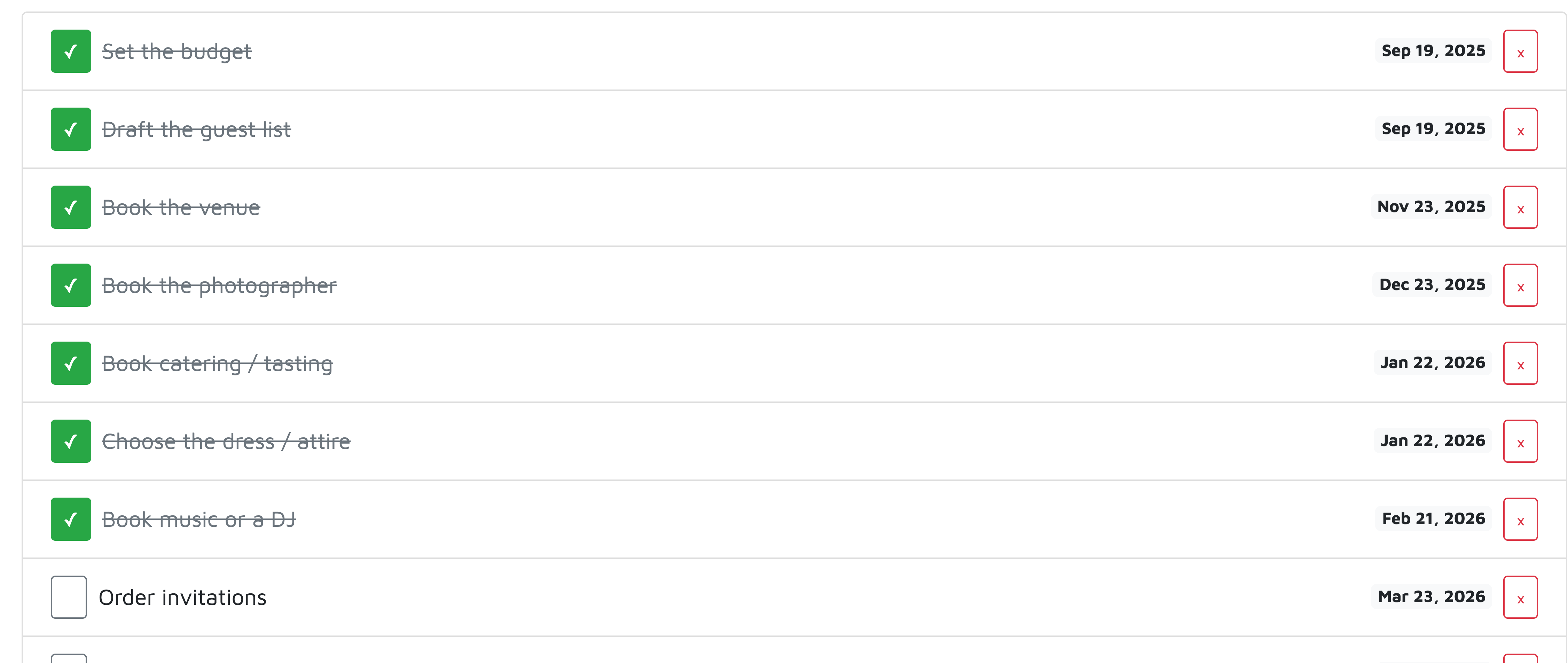
10–12 months out: the foundations
Set the budget, draft the guest list, book the venue. These three lock each other in: the venue you can afford depends on the headcount, and almost every other decision waits for the date. If you only do three things early, do these.
6–9 months: the big vendors
Photographer, catering (with a tasting!), music, attire. Good vendors book out first — and their deposits are your first real spending. Track quotes and booking statuses in the budget & vendor tracker so "who did we pay and how much is left" is never a mystery.

2–3 months: invitations out
Order and send invitations with a clear reply-by date. An online RSVP page saves you weeks of chasing: each guest gets a personal link, replies update your list instantly, and automatic reminders nudge the silent ones.
2–3 weeks: seating and paper
When most replies are in, build the seating chart and print place cards straight from it. Confirm the final headcount with the caterer about a week out.
The trick that makes it stick: a calendar, not a list
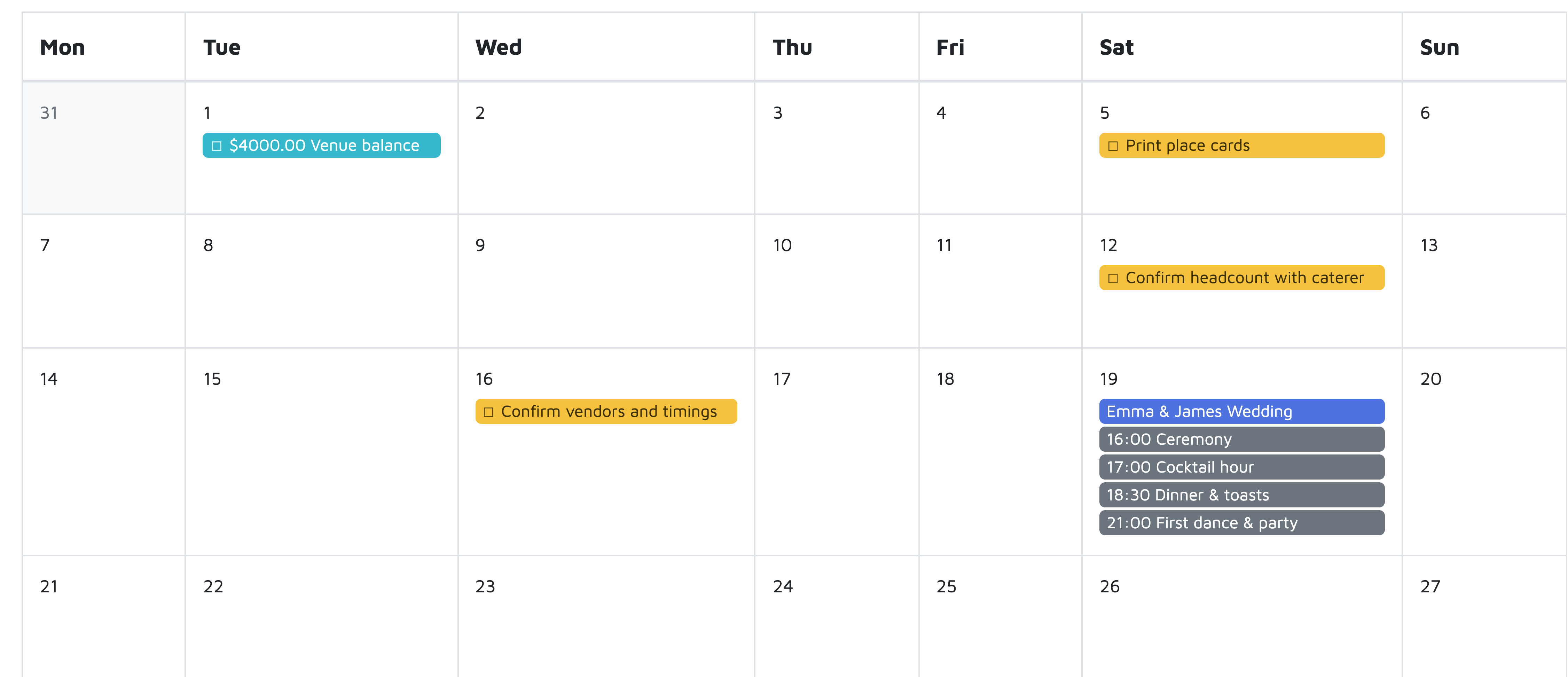
A checklist you never open is just guilt in table form. In our planner every to-do, payment deadline and programme item lands on one calendar — you tick things off right from the month view, and nothing sneaks up on you.
Frequently asked questions
When should I start planning a wedding?
Ten to twelve months before the date is comfortable: set the budget, draft the guest list and book the venue first — almost every other decision waits for the date.
Does the checklist work for events other than weddings?
Yes — the planner ships templates for birthdays, baby showers, anniversaries and corporate events, each with its own to-dos and timings.
Can I add my own tasks and deadlines?
Yes. The template is a starting point — add, edit or delete any to-do, and everything with a date appears on your planning calendar automatically.